‏إظهار الرسائل ذات التسميات security. إظهار كافة الرسائل

الخميس، 31 أغسطس 2017

Running Multiple Instances of Yahoo Messenger

If you are using Yahoo! Messenger v8.0 or above, YahooMulti.reg will let you run multiple copies of Yahoo Messenger.

At the same time which will allow you to login multiple ID’s at the same time.

1) Open Registry Editor (regedit.exe)

Click Start > Run and then type 'regedit' press enter.

2) Then Look For- HKEY_CURRENT_ USER\Software\yahoo\ pager\Test.

3) Then change this value of plural to like this- “Plural”=dword: 00000001

Source:- http://www.insecure.in/multiple_yahoo_trick.asp

Hide EXE File into JPG

This is a good trick to hide your exe files into a jpg file..!
How about sending a trojan or a keylogger into your victim using this trick..??

1) Firstly, create a new folder and make sure that the options 'show hidden files and folders' is checked and ‘hide extensions for known file types’ is unchecked.
Basically what you need is to see hidden files and see the extension of all your files on your pc.

2) Paste a copy of your server on the new created folder. let's say it's called 'server.exe' (that's why you need the extension of files showing, cause you need to see it to change it)

3) Now you’re going to rename this 'server.exe' to whatever you want, let’s say for example 'picture.jpeg'

4) Windows is going to warn you if you really want to change this extension from exe to jpeg, click YES.

5) Now create a shortcut of this 'picture.jpeg' in the same folder.

6) Now that you have a shortcut, rename it to whateve you want, for example, 'me.jpeg'.

7) Go to properties (on file me.jpeg) and now you need to do some changes there.

8) First of all delete all the text on field 'Start In' and leave it empty.

9) Then on field 'Target' you need to write the path to open the other file (the server renamed 'picture.jpeg') so you have to write this :-

'C:\WINDOWS\system32\cmd.exe /c picture.jpeg'

10) The last field, 'c picture.jpeg' is always the name of the first file. If you called the first file 'soccer.avi' you gotta write 'C:\WINDOWS\system32\cmd.exe /c soccer.avi'.

11) So what you’re doing is when someone clicks on 'me.jpeg', a cmd will execute the other file 'picture.jpeg' and the server will run.

12) On that file 'me.jpeg' (shortcut), go to properties and you have an option to change the icon. Click that and a new window will pop up and you have to write this :-

%SystemRoot%\system32\SHELL32.dll . Then press OK.

13) You can set the properties 'Hidden' for the first file 'picture.jpeg' if you think it’s better to get a connection from someone.

14) But don’t forget one thing, these 2 files must always be together in the same folder and to get connected to someone they must click on the shortcut created not on the first file. So rename the files to whatever you want considering the person and the knowledge they have on this matter.

15) For me for example I always want the shortcut showing first so can be the first file to be opened. So I rename the server to 'picture2.jpeg' and the shortcut to 'picture1.jpeg'.

This way the shortcut will show up first. If you set hidden properties to the server 'picture.jpeg' then you don’t have to bother with this detail but I’m warning you, the hidden file will always show up inside of a Zip or a Rar file.

16) So the best way to send these files together to someone is compress them into Zip or Rar.

17) inside the Rar or Zip file you can see the files properties and even after all this work you can see that the shortcut is recognized like a shortcut but hopefully the person you sent this too doesn’t know that and is going to open it.

Source:- http://www.insecure.in/hide_exe_jpg.asp

Increase Broadband Speed Using Simple Tweak

 
A Simple Tweak (XP Pro only) which will increase your Broadband Speed.
Make sure you Log on as Administrator, not as a user with Administrator privileges.
Follow the steps as given below-
1) Click on Start Button.
2) Select Run From Start Menu.
3) Type gpedit.msc
4) Expand the [Administrative Templates] branch.
5) Then Expand the [Network] branch.
6) Highlight(Select by Single Click) [QoS Packet Scheduler]
7) Double-click [Limit Reservable Bandwidth] (Available in Right Side Panel)
8) Check(Select By Single Click on it) [Enabled]
9) Change [Bandwidth limit %] to 0 %
10) Click [OK] Button.
11) Restart Your PC.
12) Now Check Your Broadband Speed.


Source:- http://www.insecure.in/broadband_trick.asp

Create Folders And Files With NO! Name

This trick will allow you to create files and folders without any name.
Just follow the steps as given below :-
1) Select any file or folder.
2) Right click on it, select 'Rename' or simply press 'F2'.
3) Press and hold the 'Alt' key. While holding the Alt key, type numbers '0160' from the numpad.
Note :- Type the numbers '0160' from the numpad, that is, the numbers present on the right side of the keyboard.
Don’t type the numbers which are present on top of the character keys.
4) Press Enter and the nameless file or folder will be created.
Reason :- The file or folder that seems nameless is actually named with a single space.
But what if you want to create another nameless file or folder in the same directory ?
For this you will have to rename the file with 2 spaces.
Just follow the steps given below :-
1) Select file, Press 'F2'.
2) Hold 'Alt' key and type '0160' from the numpad.
3) Release the 'Alt' key. Now without doing anything else, again hold 'Alt' key and type '0160'.
4) Press 'Enter' and you will have second nameless file in the same directory.
5) Repeat step 3 to create as many nameless files or folders in the same directory.
(We have a problem with deleting these folders, to do so, start your computer in 'Safe Mode' and delete it from there.)


Source:- http://www.insecure.in/noname_trick.asp

Chat with Friends through ms dos Command Prompt

1) All you need is your friend's IP Address and your Command Prompt.

2) Open Notepad and write this code as it is.....!

@echo off
:A
Cls
echo MESSENGER
set /p n=User:
set /p m=Message:
net send %n% %m%
Pause
Goto A

3) Now save this as "Messenger.Bat".
4) Open Command Prompt.
5) Drag this file (.bat file) over to Command Prompt and press Enter.
6) You would then see something like this:

7) Now, type the IP Address of the computer you want to contact and press enter
You will see something like this:

8) Now all you need to do is type your message and press Enter.
Start Chatting.......!

Source:- http://www.insecure.in/cmd_chat_trick.asp

الأربعاء، 30 أغسطس 2017

Reveal *****(Asterisk) Passwords Using Javascript

Want to Reveal the Passwords Hidden Behind Asterisk (****) ?

Follow the steps given below-

1) Open the Login Page of any website. (eg. http://mail.yahoo.com)

2) Type your 'Username' and 'Password'.

3) Copy and paste the JavaScript code given below into your browser's address bar and press 'Enter'.

javascript: alert(document.getElementById('Passwd').value);

4) As soon as you press 'Enter', A window pops up showing Password typed by you..!

Note :- This trick may not be working with firefox.


Source:- http://www.insecure.in/reveal_pass_trick.asp

Folder Lock Without Any Software

Folder Lock With Password Without Any Software-
Paste the code given below in notepad and 'Save' it as batch file (with extension '.bat').

Any name will do.

Then you see a batch file. Double click on this batch file to create a folder locker.
New folder named 'Locker' would be formed at the same location.

Now bring all the files you want to hide in the 'Locker' folder. Double click on the batch file to lock the folder namely 'Locker'.

If you want to unlock your files,double click the batch file again and you would be prompted for password.

Enter the password and enjoy access to the folder.

if EXIST "Control Panel.{21EC2020-3AEA-1069-A2DD-08002B30309D}" goto UNLOCK
if NOT EXIST Locker goto MDLOCKER
:CONFIRM

echo Are you sure u want to Lock the folder(Y/N)
set/p "cho=>"
if %cho%==Y goto LOCK
if %cho%==y goto LOCK
if %cho%==n goto END
if %cho%==N goto END
echo Invalid choice.
goto CONFIRM
:LOCK
ren Locker "Control Panel.{21EC2020-3AEA-1069-A2DD-08002B30309D}"
attrib +h +s "Control Panel.{21EC2020-3AEA-1069-A2DD-08002B30309D}"
echo Folder locked
goto End
:UNLOCK
echo Enter password to Unlock folder
set/p "pass=>"
if NOT %pass%==type your password here goto FAIL
attrib -h -s "Control Panel.{21EC2020-3AEA-1069-A2DD-08002B30309D}"
ren "Control Panel.{21EC2020-3AEA-1069-A2DD-08002B30309D}" Locker
echo Folder Unlocked successfully
goto End
:FAIL
echo Invalid password
goto end
:MDLOCKER
md Locker
echo Locker created successfully
goto End
:End


Source:- http://www.insecure.in/folder_lock_trick.asp

Shutdown Command Via Command Prompt

The 'Shutdown' Command Becomes More Flexible and Automated when used from the Command Prompt.

To Run the 'Shutdown' command from the command prompt, go to 'Start > Run', type 'cmd', and press 'Enter'.

In the black box (the command prompt) type 'Shutdown' and the Switches you want to use with the 'Shutdown' command.

You have to use at least one switch for the shutdown command to work.
The Switches :-

The 'Shutdown' command has a few options called Switches. You can always see them by typing 'shutdown -?' in the command prompt if you forget any of them.

-i: Display GUI interface, must be the first option
-l: Log off (cannot be used with -m option)
-s: Shutdown the computer
-r: Shutdown and restart the computer
-a: Abort a system shutdown
-m \\computername: Remote computer to shutdown/restart/abort
-t xx: Set timeout for shutdown to xx seconds
-c “comment”: Shutdown comment (maximum of 127 characters)
-f: Forces running applications to close without warning
-d [u][p]:xx:yy: The reason code for the shutdown u is the user code p is a planned shutdown code xx is the major reason code (positive integer less than 256) yy is the minor reason code (positive integer less than 65536)

Note :- I’ve noticed using a switch with a '-' sign doesn’t work sometimes.
If you are having trouble try using a '/' in place of '-' in your switches.

Examples :-
shutdown –m \\computername –r –f

This command will restart the computer named computername and force any programs that might still be running to stop.

shutdown –m \\computername –r –f –c “I’m restarting your computer. Please save your work now.” –t 120

This command will restart the computer named computername, force any programs that might still be running to stop, give to user on that computer a message, and countdown 120 seconds before it restarts.

shutdown –m \\computername –a
This command will abort a previous shutdown command that is in progress.

Using A Batch File :-
You can create a file that performs the shutdown command on many computers at one time.

In this example I’m going to create a batch file that will use the shutdown command to shut down 3 computers on my home network before I go to bed.

Open 'Notepad' and type the shutdown command to shut down a computer for each computer on the network.

Make sure each shutdown command is on its own line.

An example of what should be typed in notepad is given below-

shutdown –m \\computer1 –s
shutdown –m \\computer2 –s
shutdown –m \\computer3 –s

Now I’ll save it as a batch file by going to file, save as, change save as type to all files, give the file a name ending with '.bat'. I named mine 'shutdown.bat'.

Pick the location to save the batch file in and save it.
When you run the batch file it’ll shutdown computer 1, 2, and 3 for you.
You can use any combination of shutdown commands in a batch file.

Source:- http://www.insecure.in/shutdown_cmd_trick.asp

The Ethical Hacker

Welcome to the unique confluence of hackers , crackers and security professionals on the world wide web.


This is your complete resource for internet security and ethical hacking.


 -: The Ethical Hacker :-hack
Most people think that hackers are computer criminals.
They fail to recognize the fact that criminals and hackers are two totally different things.
Media is responsible for this.
Hackers in reality are actually good and extremely intelligent people who by using their knowledge in a constructive manner help organizations, companies, government, etc. to secure documents and secret information on the internet.

Source:- http://www.insecure.in/

Windows-XP Password Cracking

Here we use the tool "Cain and Abel" for cracking passwords of any local user/administrator.


First download cain and abel from "http://www.oxid.it/cain.html" and install it on your system.


Make sure that you have disabled the antivirus/firewall running on your system before installing and throughout this process.


Two most effective techniques used here are "Brute-Force" and "Cryptanalysis".
Brute-Force:- As this techniques takes more time to complete, the attacker prefer this technique only when there is a hope that the password contain same type of characters or may be two. i.e only loweralpha, only alpha, only numeric or may be loweralpha-numeric, also it should contain less than 7 characters. Otherwise it takes more time to crack password, which may be the mixture of all types of characters along with special symbols.


The step-by-step explaination for this technique is given below-


1) Open the tool "Cain and Abel"  

2) Go into the category "Cracker"      it displays all sub-categories under "Cracker" in left panel.

3) Select "LM & NTLM Hashes" from left panel and then click on      symbol, you will be greeted by a window as shown.

4) Check "import hashes from local system" and then click "Next". This shows all the active accounts on local system like administrator, guest, etc. along with LM and NT hashed values of their respective passwords, as shown below.

5) Right clicking on any username shows all available options using which we can crack it's password.

6) Here we select "Brute-Force Attack" and then "NTLM Hashes", since windows uses NTLM hashes to store local users' passwords.
7) You will be greeted by a window where you can modify properties for brute-force attack such as password length, character set, etc.

8) Click on "Start" button.
9) On completion it will reveal the exact password.


Cryptanalisys :- Basically, Cryptanalisys means Operations performed in converting encrypted messages to plain text without initial knowledge of the crypto-algorithm and/or key employed in the encryption.


This is the fastest technique of password cracking possible due to "Rainbow Tables".


A rainbow table is a file that is used to lookup an unknown plaintext from a known hash for an algorithm that does not usually permit this operation.


Steps 1 to 4 i.e upto importing hashes from local system, are similar to previous technique (i.e brute-force). The steps coming after that are as follows-


5) Here, select "cryptanalisys attack" then "NTLM hashes" and then select "via rainbow tables". Here we can choose either OphCrack or RainbowCrack formats of tables. The rainbow tables are available free to download on internet.


Due to large file size of rainbow tables (350MB - 3GB); instead of downloading we can also create at own just by downloading rainbow table generator (winrtgen.zip of 181KB) free download at "http://www.oxid.it/downloads/winrtgen.zip"

6) Click on "Add Table"

7) Browse for the location of rainbow table on your system, select proper table and click "open".

8) Select the loaded table and then click on "Start" button.

9) On completetion it will show the exact password.


To learn windows password cracking techniques properly, one must understand "LM" & "NTLM" algorithms, SAM File, Dumping NTLM hashes from local SAM, Rainbow Tables, etc.......!

Source:- http://www.insecure.in/winxp_passcrack.asp

Password Hacking

Password cracking is the process of recovering secret passwords from data that has been stored in or transmitted by a computer system. A common approach is to repeatedly try guesses for the password.


Most passwords can be cracked by using following techniques :


1) Hashing :- Here we will refer to the one way function (which may be either an encryption function or cryptographic hash) employed as a hash and its output as a hashed password.
If a system uses a reversible function to obscure stored passwords, exploiting that weakness can recover even 'well-chosen' passwords.
One example is the LM hash that Microsoft Windows uses by default to store user passwords that are less than 15 characters in length.
LM hash breaks the password into two 7-character fields which are then hashed separately, allowing each half to be attacked separately.


Hash functions like SHA-512, SHA-1, and MD5 are considered impossible to invert when used correctly.

2) Guessing :- Many passwords can be guessed either by humans or by sophisticated cracking programs armed with dictionaries (dictionary based) and the user's personal information.

Not surprisingly, many users choose weak passwords, usually one related to themselves in some way. Repeated research over some 40 years has demonstrated that around 40% of user-chosen passwords are readily guessable by programs. Examples of insecure choices include:

* blank (none)
* the word "password", "passcode", "admin" and their derivatives
* the user's name or login name
* the name of their significant other or another person (loved one)
* their birthplace or date of birth
* a pet's name
* a dictionary word in any language
* automobile licence plate number
* a row of letters from a standard keyboard layout (eg, the qwerty keyboard -- qwerty itself, asdf, or qwertyuiop)
* a simple modification of one of the preceding, such as suffixing a digit or reversing the order of the letters.
and so on....

In one survery of MySpace passwords which had been phished, 3.8 percent of passwords were a single word found in a dictionary, and another 12 percent were a word plus a final digit; two-thirds of the time that digit was.


A password containing both uppercase &  lowercase characters, numbers and special characters too; is a strong password and can never be guessed.

Check Your Password Strength

3) Default Passwords :- A moderately high number of local and online applications have inbuilt default passwords that have been configured by programmers during development stages of software. There are lots of applications running on the internet on which default passwords are enabled. So, it is quite easy for an attacker to enter default password and gain access to sensitive information. A list containing default passwords of some of the most popular applications is available on the internet.


Always disable or change the applications' (both online and offline) default username-password pairs.

4) Brute Force :- If all other techniques failed, then attackers uses brute force password cracking technique. Here an automatic tool is used which tries all possible combinations of available keys on the keyboard. As soon as correct password is reached it displays on the screen.This techniques takes extremely long time to complete, but password will surely cracked.


Long is the password, large is the time taken to brute force it.

5) Phishing :- This is the most effective and easily executable password cracking technique which is generally used to crack the passwords of e-mail accounts, and all those accounts where secret information or sensitive personal information is stored by user such as social networking websites, matrimonial websites, etc.
Phishing is a technique in which the attacker creates the fake login screen and send it to the victim, hoping that the victim gets fooled into entering the account username and password. As soon as victim click on "enter" or "login" login button this information reaches to the attacker using scripts or online form processors while the user(victim) is redirected to home page of e-mail service provider.


Never give reply to the messages which are demanding for your username-password, urging to be e-mail service provider.

It is possible to try to obtain the passwords through other different methods, such as social engineering, wiretapping, keystroke logging, login spoofing, dumpster diving, phishing, shoulder surfing, timing attack, acoustic cryptanalysis, using a Trojan Horse or virus, identity management system attacks (such as abuse of Self-service password reset) and compromising host security.
However, cracking usually designates a guessing attack.


Source:- http://www.insecure.in/password_hacking.asp

Network Hacking

Network Hacking is generally means gathering information about domain by using tools like Telnet, NslookUp, Ping, Tracert, Netstat, etc.


It also includes OS Fingerprinting, Port Scaning and Port Surfing using various tools.


Ping :- Ping is part of ICMP (Internet Control Message Protocol) which is used to troubleshoot TCP/IP networks. So, Ping is basically a command that allows you to check whether the host is alive or not.


To ping a particular host the syntax is (at command prompt)--

c:/>ping hostname.com

example:- c:/>ping www.google.com

Various attributes used with 'Ping' command and their usage can be viewed by just typing c:/>ping at the command prompt.


Netstat :- It displays protocol statistics and current TCP/IP network connections. i.e. local address, remote address, port number, etc.
It's syntax is (at command prompt)--

c:/>netstat -n

Telnet :- Telnet is a program which runs on TCP/IP. Using it we can connect to the remote computer on particular port. When connected it grabs the daemon running on that port.
The basic syntax of Telnet is (at command prompt)--

c:/>telnet hostname.com

By default telnet connects to port 23 of remote computer.
So, the complete syntax is-

c:/>telnet www.hostname.com port

example:- c:/>telnet www.yahoo.com 21 or c:/>telnet 192.168.0.5 21


Tracert :- It is used to trace out the route taken by the certain information i.e. data packets from source to destination.
It's syntax is (at command prompt)--

c:/>tracert www.hostname.com

example:- c:/>tracert www.insecure.in

Here "*    *    *    Request timed out." indicates that firewall installed on that system block the request and hence we can't obtain it's IP address.
various attributes used with tracert command and their usage can be viewed by just typing c:/>tracert at the command prompt.
The information obtained by using tracert command can be further used to find out exact operating system running on target system.


Source:- http://www.insecure.in/network_hacking.asp

Increase Virtual RAM - To Make Your System Faster

Follow the steps given below :-
1) Hold down the 'Windows' Key and Press the 'Pause/Break' button at the top right of your keyboard.
Another way is Right-Clicking 'My Computer' and then Select 'Properties'.
2) Click on the 'Advanced' tab.
3) Under 'Performance', click 'Settings'.
4) Then click the 'Advanced' tab on the button that pops up.
5) Under 'Virtual Memory' at the bottom, click 'Change'.
6) Click the 'Custom Size' button.
7) For the initial size (depending on your HD space), type in anywhere from 1000-1500 (although I use 4000), and for the Maximum size type in anywhere from 2000-2500 (although I use 6000).
8) Click 'Set', and then exit out of all of the windows.
9) Finally, Restart your computer.
10) You now have a faster computer and 1-2GB of Virtual RAM..!

Article Source:- http://www.insecure.in/system_faster_trick.asp

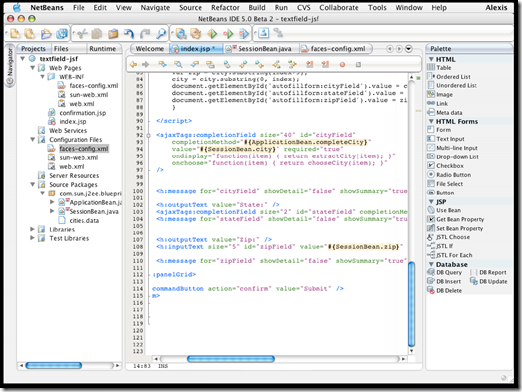
NetBeans

NetBeans - Development Simplified

A free, open-source Integrated Development Environment for software developers. You get all the tools you need to create professional desktop, enterprise, web, and mobile applications with the Java language, C/C++, and even dynamic languages such as PHP, JavaScript, Groovy, and Ruby. NetBeans IDE is easy to install and use straight out of the box and runs on many platforms including Windows, Linux, Mac OS X and Solaris.

NetBeans logo                           NB DVD Order logo

The NetBeans IDE 6.5 provides several new features and enhancements, such as rich PHP, JavaScript and Ajax editing features, improved support for using the Hibernate web framework and the Java Persistence API, and tighter GlassFish v3 and MySQL integration.

NetBeans01

NetBeans Supported Technologies

Ajax | C/C++ | Databases | Debugger | Desktop | Editor | Groovy | GUI Builder | Java EE | JavaFX | Java ME | Java SE | JavaScript | Mobile | PHP | Profiler | Python | Refactor | REST | Rich Client Platform | Ruby | SOA | SOAP | UML | Web | WSDL | XML

download

Download Java SE and NetBeans Cobundle (JDK 6u13 and NB 6.5.1) for Windows, Multi-language          

- JMD Computer

* if Link is Broken, fill free form click here with Link Details.

Source:- http://www.netbeans.org/features/    or    http://www.netbeans.org/

الثلاثاء، 29 أغسطس 2017

The Test Candidates In Detail

THEbox HP-25OTG: Portable Hard Drive With A/V Support


This silver aluminum box is extremely compact, and not only acts as a digital storage device for video and audio files, but is also the ideal playback companion for when you're on the go. While the remote control unit is fiddly-looking, it has a nice feel in your hand. To keep it tiny, the HP-25OTG has no display of its own and no control knobs save for an "on the go" (OTG) button, one press of which copies data from an external USB device to the built-in hard drive. This is a neat function if you want to quickly save some photos from your digital camera but don't have a laptop handy. The HP-25OTG's hard drive thus serves as an image tank of sorts. Using the included RCA A/V cable, you can play back multimedia content stored on the device directly on any normal television set. Unfortunately, there is no delete function, meaning you can only get rid of your stored files in conjunction with a PC.

The specs as listed on the package

Source:- http://www.tomshardware.com/reviews/hard-disk-drive-video-players-hit-mainstream,1107-2.html

الاثنين، 28 أغسطس 2017

Are You Smart Enough For A Smart Phone?

Get ready; the smart phone might just be the next "Must Have" tech device. Don't laugh, this may be truer than many of us realize or would like to believe. Why? Mainly because the smart phone fulfills our ever increasing need for a mobile device that gives us all the features of a laptop/internet/phone in one small package. We want it all and we want it small. Go figure! For regardless of the size of our brain cells, we all need a small communication device that keeps us constantly connected no matter where we are. Connected to friends, family or business via a phone and the Internet. Totally connected to our lives and our sense of "self". So will you pass the smart test when it comes to smart phones? Or are you still scratching your head, wondering why you would need another techno gizmo cluttering up your life? If you're still wondering, here are seven reasons or factors why it would be smart for you to consider getting a smart phone.

1. PDA and Cell Phone Combo
A smart phone is really a combination of a cell phone and a pda. You get the best of both worlds: a cell phone and the functions of a pda in one simple small device. Smart phones can come in different designs: candy-bar, clamshell, slider and flipper. A smart phone offers many pda-like features but keep in mind it is still more like a mobile phone than a dedicated PDA, which offers larger screens and more applications. A PDA is more like a small computer or laptop than a cell phone. As technology becomes faster and smaller one can expect smart phones to become more like a dedicated PDA, offering more applications and more functions of a conventional handheld in a smaller package.

2. Mobile Convenience
Perhaps the greatest advantage of having a smart phone is the mobility it gives you. You can stay in constant contact with all your friends, family or your work. For mobile professionals it can be a very convenient and practical way to stay in contact with your work.

3. Laptop Mini-Me
The smart phone and especially the Pda phone can be a simple laptop that you can take anywhere. This device can take the place of a small laptop keeping you connected via phone and the Internet to all the information you need. Extremely useful for students and in-the-field professionals such as real-estate agents, builders, architects... Although they are slightly different creatures, the line between a Pda Phone and a Smart Phone is blurring real fast. Smart phones are usually smaller and offer less features than a Pda phone which is more related to a PDA (Personal Digital Assistant) or a Handheld PC.

4. Entertain me
Increasingly; these smart and pda phones come equipped with countless games, MP3, camera, video... all to entertain you. Important on those long plane or car trips with unexpected stop-over’s. Also great to keep any complaining off-spring totally enthralled and completely oblivious to their surroundings for hours at a time. Save big on your headache meds by getting a smart phone for little junior or little miss!

5. The Lost Factor
just admit it, we have all been lost at some time in our lives. Now you don't have to be; many of these smart pda phones come with a GPS system to keep you in touch with your location at all times. Become totally grounded with a smart phone!

6. The Cool Factor
there has to be something said about style - these smart phones are sleek and stylist. Fashion should not be a reason to buy a smart phone but sadly it will be a major factor for many who do buy one.
7. The iPhone Factor
You can expect the "Cool" factor to leap-jump when the iPhone hits the market. The iPhone may do for smart phones what the iPod did for MP3 players. Hey, there is nothing cooler than an Apple anything! Besides the cool factor, the iPhone will probably revolutionize how we perceive and look at smart phones. It will elevate the smart phone to unheard of heights and place it center stage in our lives. Most of us will be smart enough to quickly grab one of these techno marvels. How about you? Will you be smart enough to get a smart phone or will you take the opposite route? While you're making up your mind, just remember you don't have to be an Einstein to appreciate the smart phone. Nor does being a prime candidate for the next Jackass video necessarily rule you out - everyone can benefit from having a smart phone.

Titus Hoskins operates numerous sites on the web, his first was a general Internet Marketing site http://jmdcomputer.blogspot.com/and his latest site is Marketing Tool Guide where you can find all the latest helpful and effective marketing tools, including Free Internet Marketing manuals: http://jmdcomputer.blogspot.com/this article may be freely distributed if this resource box stays attached.

Article Source: http://www.themobiletracker.com/hindi/cellphone.html

WHAT Does GSM, Lock & Unlock Mean

The term GSM means - Global System for Mobile Communications. It is the most popular standard for mobile phones in the world. GSM differs significantly from its predecessors in that both signaling and speech channels are Digital call quality, which means that it is considered a second generation (2G) mobile phone system. GSM is an open standard which is currently developed by the 3rd Generation Partnership Project (3GPP). From the point of view of the consumer, the key advantage of GSM systems has been higher digital voice quality and low cost alternatives to making calls such as text messaging. The advantage for network operators has been the ability to deploy equipment from different vendors because the open standard allows easy inter-operability. Like other cellular standards GSM allows network operators to offer roaming services which mean subscribers can use their phones all over the world.

To help you further understand, GSM is simply a standard used by phones to communicate with each other. It is a new standard that has been adopted to all new models of phones and is now so prevail ant that it has become the 'norm' in the phone world. Now to answer your other question, with respect to locked and unlocked phones. A phone is locked when it is attached to network. For example if you go to AT&T and purchase a phone from them then that phone is said to be locked unto the AT&T network and as such it cannot work on another network such as SPRINT or NEXTEL. Thus an unlocked phone is a phone that is bought, that is not locked to any network. And as such it can work on any network. The network it will lock unto will depend on the SIM card you put into the phone. For example if you put an AT&T sim in an unlocked phone then it will work on the AT&T network. In the same way if you put a NEXTEL SIM card in an unlocked phone then it will work on the NEXTEL network. However if the phone is locked to a particular network, like say for example AT&T then changing the SIM card in the phone to another SIM card from another network such as NEXTEL will not work. This is because the phone is locked unto to AT&T network and as such will not work on any other network.

Yes, you can use the prepaid SIM card on the phone once the phone is either unlocked or on the same network as the SIM card you are going to put into it. It should work just fine. Unfortunately is possible to have more than one phone on the same line. It is possible to have more to than one phone on the same account, in fact, some providers will allow many many lines on one account. The reason why you’re unable to do this is that your phone has an ESN (electronic serial number) that associated with that line. What this does is allow your network to send the calls to your phone. If there is more than one ESN per line then it will cause problems receiving calls. For example, I had a phone that I wasn’t using anymore when I bought a new one, well my old phone was receiving text messages that my new one was supposed to get, but the new one would get all the calls. To resolve the issue that had to erase the programming on the phone. Victor Expand is an expert agent for http://jmdcomputer.blogspot.com/, a huge cell phone superstore featuring great prices and rebates on cell phones including Motorola, Samsung, Nokia, Audio ox, LG, RIM Blackberry, Sanyo, Sony Ericsson, and others.

Article Source: http://www.themobiletracker.com/hindi/gsm.html

Cell Phone GPS Tracking

The development of communications technology has long since surpassed the sole ability to access others when they are mobile. Today, mobile communication devices are becoming much more technologically advanced and offer more than the ability to just carry on a conversation. Cell phone GPS tracking is one of those advances. GPS or Global Positioning System tracks your location by interpreting the data received from 3 or more satellites. This has made GPS a popular feature in cars as a navigational aid.

All cell phones constantly broadcast a radio signal, even when not on a call. The cell phone companies have been able to estimate the location of a cell phone for many years using triangulation information from the towers receiving the signal. However, the introduction of GPS technology into cell phones has meant that cell phone GPS tracking now makes this information a lot more accurate. With GPS technology now more commonplace in many new cell phones, this means that the location of anyone carrying a compatible cell phone can be accurately tracked at any time. Cell phone GPS tracking can therefore be a useful feature for business owners and fleet managers who need to be able to keep track of their vehicle movements. Cell phone GPS tracking can also be a useful feature to the emergency services or police when responding to a 911 call from a GPS cell phone. For this reason, the FCC has legislated that wireless networks provide location information for 911 calls made from cell phones. These are known as E911 calls.

As technology advance even further, future features will be even more powerful. Imagine GPS cell phones used as a navigational device. Based on the cell phone GPS tracking signal, they could be used to find your way to a location, calculate your speed based on your location change over time, from this calculate your estimated arrival time, suggest an alternative route and even phone the person you are calling to see with your ETA! Of course in car GPS navigation systems can already perform many of these tasks; however it is the portability of cell phones that makes them so useful for this technology. Cell phone GPS tracking could also be used to locate the whereabouts of your children and offer protection to elderly relatives should something happen and they need urgent assistance. These features will help to secure the future of cell phone GPS tracking providing advantages for all. For more information on cell phone GPS tracking and other GPS products visit www.satnav-gps.info today.

Article Source: http://www.themobiletracker.com/hindi/tracking.html

Global Positioning System (GPS) : A Complete Review

The system of knowing one's exact position on this earth is known as the 'Global Positioning System'. Precise positioning of any location can easily be done with the help of this System. If anyone has a Global Positioning System receiver and if the sky remains clear then no one is going to be lost on this Earth. The receiver is a pocket-sized gadget that makes us inform about our exact position on this earth at any moment. One thing is that this pocket-sized gadget or receiver is very expensive and it also involves a lot of technical ingenuity. The primary function of Global Positioning System is the navigation in three dimensions. The Navigation receivers are used for aircraft, ships, and ground vehicles and sometimes it is also carried in hands by individual.


The working of the System
The GP System provides some special satellite signals which is processed in the receiver. These GPS receivers not only track the exact location but can also compute velocity and time. The positions can even be computed in three dimensional views with the help of four GPS satellite signals. The Space Segment of the Global Positioning System consists of 27 Earth-orbiting GPS satellites. There are 24 operational and 3 extra (in case one fails) GPS satellites. These satellites move round the Earth in 12 hours and send radio signals from space that is being received by the GPS receiver. The control of the Positioning System consists of different tracking stations that are located across the world. These monitoring stations help in tracking signals from those GPS satellites that are continuously orbiting the earth. The Space Vehicles transmit microwave carrier signals. The users of the Global Positioning System have GPS receivers that can convert the satellite signals by which one can estimate the actual position, velocity and time. Four satellites are required to track the three dimensional location and time. The operation of the system is based on a simple mathematical principle called Trilateration. The Trilateration may be of two types i.e. 2-D Trilateration and 3-D Trilateration. In order to make the simple mathematical calculation the GPS receiver should know two things. Firstly the location of the place is to be traced by at least three satellites above the place. Second is the distance between the place and each of those Space Vehicles. Units those have multiple receivers can pick up signals from several GPS satellites at a same time. These radio waves are electromagnetic energy that travels at the speed of light.


OverviewGPS is specially a Satellite Navigation System that helps in tracking the exact location with the help of satellites. The Global Positioning System is mainly funded and controlled by the U.S Department of Defense (DOD). The system was initially designed for the operation of U. S. military. But today, there are also many civil users of GPS across the whole world. The civil users are allowed to use the Standard Positioning Service without any kind of charge or restrictions.


Tyson J Stevenson creates useful articles & reviews on a wide variety of everyday subjects. Expect to see his name often. View further samples of his work at My Adjustable Bed & Adjustable Beds.


Article Source: http://www.themobiletracker.com/hindi/gps.html

الأحد، 27 أغسطس 2017

Daemon Tools 4.30.4

Daemon Tools is an advanced application for multiprotection emulation. It is further development of Generic Safedisc emulator and incorporates all its features.

This program allows running Backup Copies of SafeDisc (C-Dilla), Securom, Laserlock, CDCOPS, StarForce and Protect CD (and many others) protected games. Also included is a Virtual DVDROM drive (Generic DVD-ROM) enabling you to use your CD images as if they were already burned to CD! DAEMON Tools works under Windows9x/ME/NT/2000/XP with all types of CD/DVDROM drives (IDE/SCSI) and supports nearly any CD protection.

- Daemon Tools needs a 1:1 Copy to run!!
- Daemon Tools is used to RUN GAMES, NOT TO BURN THEM!!! Means emulation must be active while you want to play a game, not while burning the copy (except for you want to use DAEMON Tools' "fastdump" feature on a safedisc protected CD).
- If you want to run a copy protected application from an image mounted to a Generic DVD-ROM enabling the copy protection emulation(s) is NOT necessary!!
- Generic DVD-ROM is able to run nearly every protected or unprotected CD image (Safedisc, Securom, Laserlock, Lockblocks etc.) like it was the original CD! Just do an image file using one of the supported burning programs and mount it with Daemon Manager!

Daemon Tools supports the following image files :
- cue/bin
- iso
- ccd (CloneCD)
- bwt (Blindwrite)
- mds (Media Descriptor File)
- cdi (Discjuggler)
- nrg (Nero)
- pdi (Instant CD/DVD)
- b5t (BlindWrite 5)

Changes in Daemon Tools 4.30.4 :
- Windows 7 beta supporting (SPTD 1.58);
- Protected images creation: Password field on Disc Imaging dialog;
- Compressed images creation: Compress option on Disc Imaging dialog;
- Image Catalog item was moved to the first level of Main Menu;
- mdf-file type association option;
- Languages updates.
- Bugs fixed:
- Devices speeds detection;
- Lite-ON DHXXXXX drives supporting;
- Large RAID volumes issue;
- Mounting/converting B6T DVD images;
- Setup improving: Unicode supporting;
- Some minor GUI bugs.

Changes in Daemon Tools 3.47 :
- Fixed lockup with some images containing bad sectors made by Alcohol (MDS)
- Fixed Nero InCD formatting problem with DAEMON Tools present
- Fixed atapi.sys locking problem (as a result, some emulation ability is removed for PCD5 until new release)

Important Notes :
- Quote from Daemon Tools' release notes: "Another important change in DAEMON Tools 4.10 is the integration of ADWARE. Yes, we need that revenues. However, we decided to let YOU choose to run it with ADWARE and support us - or simple turn it OFF in installation-process and run it same way as former versions - without ADWARE. By default, it is turned ON - to not install that ADWARE, please UNCHECK at installation "DAEMON TOOLS SEARCHBAR" (or you can remove it anytime later when you wish via "Control Panel"-> "Add/Remove programs")."

startpageBottom_en 

Download [ Daemon Tools 4.30.4 ]

- JMD Computer

* if Link is Broken, fill free form click here with Link Details.

Source:- http://www.free-codecs.com/download/daemon_tools.htm