الثلاثاء، 26 ديسمبر 2017

Sure Five Working OpenVpn Configuration Files For Etisalat Social Me/Chat Pak..

ShoutAmLoud is here again....Sicerely speakingsSince the arrival of Magic IP I can't remember when last I did subscription for Etisalat social pak, but I notice that some users are still subscribing for social me and openvpn users are requesting for configuration files for openvpn connect. Now i have Five (5) working config files for etisalat social/chat pak for Openvpn lovers so that they can keep on rocking as usual.


Kindly click the links below to download Etisalat Openvpn config file for Social me/chat pak sub.


Link 1


Link 2


Link 3


Link 4


Link 5


For those that use psiphon vpn you can use the IP's below too

5.196.12.152 8080

91.196.230.66 3128

51.255.192.42 3128

151.236.56.190 3128

123.176.37.106 3128

Visit HERE to check our proxy server page for NEW Openvpn Password.
NEED FURTHER ASSISTANCE? Comment below or reach us Via Whatsapp:+2348106847913

How To Run Mobdro on PC to Watch Dstv Channels using unlimited browsing

Mobdro is an android app is the no.1 and the best among the tv apps, and is divided into eleven categories such as News, Shows, Movies, Sports, Music, Gaming, Animals, Tech, Podcasts, Spiritual and others.

Many people use to ask if there is Mobdro for Pc. Mobdro is available on android device only, but today i will show you how i use mobdro and other android apps on Pc with my free unlimited browsing.


What you need to know


1. Learn how to share Psiphon, Tweakware, OpenVpn and JWP Internet Network from Your Mobile Device to PC. Click the links below to learn it

Link 1

Link 2

2. Learn how to install and run Bluestacks on Pc. Click the Link below to learn it

Link

3. Learn how to use unlimited free browsing using etisala social pack or MTN bblite (Is available in our blog)


How To Run Mobdro on Pc with Unlimited free browsing


1. Share your Mobile vpn's network to Pc

2.  Install Mobdro android app on your bluestacks

3. Run your Mobdro app and enjoy dstv channels on pc for free


Why don't you like/share this post? It does'nt take too much time....
 Click here to SUBSCRIBE to this Blog to Receive future updates..

Best Way to Run Android App on PC

Great News guys! You can run and play any android app on your pc, no need of android smartphone, with bluestacks you can chat, play game and even download apps from playstore using your pc.

BlueStacks is currently the best way to run Android apps on Windows. It doesn’t replace your entire operating system. Instead, it runs Android apps within a window on your Windows desktop. This allows you to use Android apps just like any other program. BlueStacks also includes support for easy installation of apps from Google Play.
What you can do with bluestacks app
1.Run WhatsApp Messenger, Facebook app and other social media apps
2. Download and Install apps from Playstore
3.Play Android Games e.t.c
Where To Get the app
Click HERE to download Bluestacks for free
How To Install Bluestacks app
Click the download setup to install it
After installation click the start bluestacks icon to download bluestacks game data
After successful downloading it will start initializing
Congratulation your bluestacks app is now ready to run Android app on pc
You can add your google account on it
You can download and install your favorite android apps and run then
You can Play your favorite games
Run Whatsapp messenger and chat with your friends

You can now enjoy Android apps on pc without your smartphone
 

How To Share Psiphon, Tweakware, OpenVpn and JWP Internet Network From Your Mobile Device To PC

In our previous post, I showed you guys how to share your Mobile VPN connection with PC using DF Tethering Fix App. Today am going to show you how to power  your pc with internet connection from your mobile device using great software called PdaNET+.


PdaNet+ is one of the top Android applications of all time. PdaNet+ shares the Internet access of your Android phone with your computer or tablet. PdaNet+ works on all Android phones without rooting.


PdaNet+ allows your laptop to go online wirelessly through your VPN'S network on your Android devices. No need to set any proxy and port on your Pc browsers is a direct internet connection from your mobile device. Now follow the steps below to get started.


Requirement

1. Android Mobile device

2. USB Cable

3. PC


Software’s Needed

1. PdaNET+ for android device Click HERE to download

2. PdaNET+ for PC Click HERE to download


How To Share Your Mobile Vpn network to Pc using PdaNET+

1. Install PdaNET+ for android device on your phone

2. Lunch PdaNET+ on your phone and Activate USB TENDER

Note: Make sure you enable USB debugging


3. Now install PdaNET+ for PC on your PC

4. Connect your mobile device via USB cable to your PC

Note: Make sure your Vpn's software such as Psiphon, openVpn, Tweakware or JWP is already connected on your mobile device.

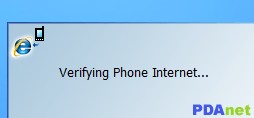
5. Now open the PdaNET+ on your Pc click “connect internet”, it will verify and authenticate your connection and it will show connected.


Now you successfully shared you VPN'S Network with your PC and you can now use your PC without any proxy or simple server.


How to Share VPN Network from Mobile to PC Using DF Tethering Fix App.

  Hi there! Today I will show you guys how to VPN from Mobile to PC  Network using DF Tethering Fix App.It is another  another super-fast tethering app that works perfect without any limitation,

DF Tethering Fix allows you to remove limitation on tethering imposed by android and let you use your mobile Vpn networks such as Psiphon, OpenVpn, Tweakware etc. You can share the network using your mobile hotspot.


Advantage of DF Tethering Fix app
1. You don't need to install any apps on the device you want to share the network to
2. It has no limitation

Note: This app works on rooted device only not like pdanet+. To enjoy this app you need to root your mobile device.
If you want to root your android device click HERE

How it Works.

Click HERE to download DF Tethering Fix app on your android device

Now go to your Mobile settings, under Tethering and portable hotspots turn your Wi-Fi hotspot ON

Then lunch the DF Tethering app on your phone


Click on FIX TETHERING until Tethering Fixed show up


Now go to your pc and turn on you Wi-Fi and search for the network and click your pc with it

Note: Make sure your vpn software is connected

That's all

Enjoy.

Enjoy Etisalat Unlimited Browsing With Tweakware

  There are four (4) VPN softwares working with Etisalat social pack unlimited browsing,Psiphon vpn, OpenVPN, Simple Server and JWP. Today another VPN software join the race and is a user friendly software.For those that don't like too much configuration this is the best option for them.

Tweakware app is available on Pc and mobile devices. The mobile version seems to be Unlimited unlike the PC version which is demo and you need to upgrade your account to premium account to enjoy full access, You don't need to put any host address or IP proxy on tweaking so let’s get started on how to use it with etisalat social pack or mtn bis....I have made the guide simple so that you won't have any trouble.


To Subscribe for Etisalat Social pack dial *200*3*3*2*1*1#


How To use Etisalat social pack with Tweakware on android devices

For Mobile Settings use
Use your Etisalat default mobile internet settings
Make sure your APN is etisalat

Or use

Apn: Etisalat
Proxy: 127.0.0.1
Port: 8080


On Tweakware app

Click HERE to download and install Tweakware on your android device.

Now launch the tweakware and click option and settings.


Then click on Bundled Settings


Mark Use Bundled Setting


Click on Select Bundled Setting and choose ETI CHAT PACK

Now go back to your tweakware app home and click connect and wait for the tweakware to show connected.

Then minimize and enjoy your unlimited browsing with tweakware app.


Downwell, an addictive arcade game coming to Android, will take over your life

Downwell is a new arcade platformer with low-res graphics displayed in three colors. It’s also one of the best games I’ve played all year. Already available on Steam and iOS but coming to Android very soon, Downwell is going to take over your life. Why? Find out below.

Let me get one thing out of the way: this is not Flappy Bird, Crossy Road, Pop the Lock or something similar. Let me get one more thing out of the way, this is not Candy Crush Saga, Clash of Clans or Subway Surfers.
Downwell is a tough-as-nails, Rogue-like. It has only three actions, move left, move right, and jump/shoot/select – but it is far more nuanced than the aforementioned “one-tap” games and far less exploitative than a "free-to-wait" title. You have to pay US$2.99 for this game on iOS (shocking, I know) but boy is it worth it.
andoridpit downwell gif lossy
Downwell may look low-fi, but the colors are essential for identifying enemies. 
You are tasked with navigating to the bottom of each stage while blasting away the nasties in your way. Each creature you encounter has the potential to steal one life from you and on the normal difficulty setting you begin with just four of these. The enemies are numerous and varied, but to the experienced player they all pose a simple question: can I jump on them?
You see, landing on any enemy, rather than shooting them, refills the ammo/charge of your gunboots. What's more, if you fall on a string of eight or more enemies in a row, you're awarded with extra gems. These can be used to buy more health and increase your ammo capacity.
The problem is that not all enemies can be landed on without damaging you.
It is this balance of risk and reward which makes Downwell so compelling. It provides a serious challenge – it isn’t easy to complete even on the normal setting – but it’s always fair. The frenetic action, mixed with the knowledge that any mistakes are your own damn stupid fault, creates a powerful urge to keep playing. And because you can complete the game in about 15 minutes if you're skilled, it is that much more tempting to try again: victory is just around the corner.
As soon as we know the Downwell release date on Android we'll let you know. If that version plays anything like its Steam and iOS counterparts, there is no doubt this will be making its way onto our best Android games list.
Have you played Downwell yet? What are your thoughts? Let us know in the comments.